The 7 Best Instagram Mods for Android in 2026 (Ranked & Compared)
The official Instagram app works fine — until you want to save a Reel, browse without ads, or read a message without the “seen” label. That is exactly what Instagram mods are for: modified Android apps built on Instagram’s base, with the extras Meta never added.
There are a lot of them, and they are not equal. Some are updated regularly, some were abandoned years ago, and a few are outright risky. Below is our honest ranking for 2026: what each mod does best, where it falls short, and who should install it. This ranking compares the best Instagram mods side by side, so you can see the differences before you install one.
The short answer: Honista is the best all-round pick in 2026 — the deepest feature set (Ghost Mode, downloads, themes, backups) on a current Instagram base, updated to v13.0. If you want something lighter and simpler, Instander is the runner-up.
The 7 best Instagram mods — quick comparison
| Mod | Media downloads | Ad-free | Ghost Mode / privacy | Themes | Best for |
|---|---|---|---|---|---|
| Honista | Yes — photos, videos, Reels, Stories | Yes | Yes — per-activity switches | Yes | Most users: richest features |
| Instander | Yes | Yes | Yes | Yes, more variety | Simplicity and speed |
| InstaPro | Yes | Yes | Yes | Yes | Extra app-lock and privacy tools |
| AeroInsta | Yes | Yes | Yes | Yes, heavy focus | Theme lovers |
| GB Instagram | Yes | Yes | Yes | Yes | Users of the classic mod |
| MyInsta | Yes | Yes | Yes | Yes | Detailed feed control |
| InstaFlow | Yes | Yes | Yes | Yes | Developer options |
1. Honista — best overall Instagram mod
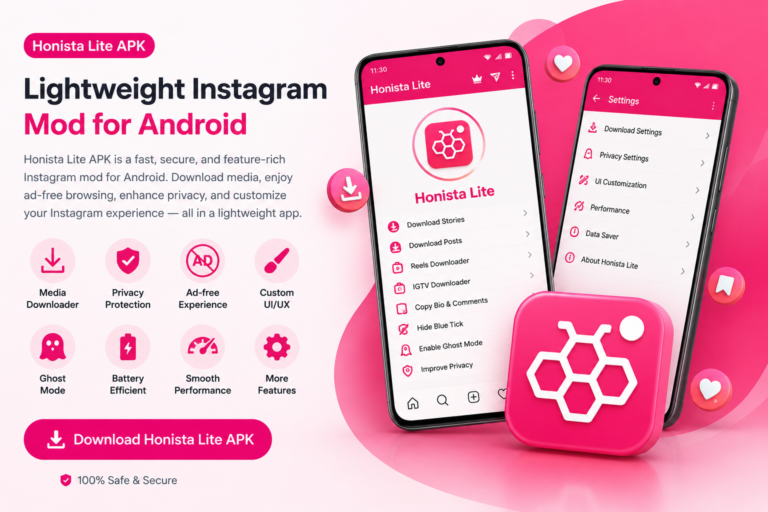
Honista earns the top spot because it covers every category: media downloads with a built-in button, Ghost Mode privacy switches you can toggle per activity, an ad-free feed, a wide range of themes, app lock, data-saving controls, backup and restore for your settings, and high-quality upload options. The current release is v13.0 on a recent Instagram base, and the project is actively maintained. On older phones, try the lightweight edition…
It is not the lightest mod — the APK is around 151 MB — but on any phone from the last few years you will not notice. Read our full Honista vs Instagram mods comparison for the detailed breakdown. If InstaPro is the other mod on your shortlist, our Honista vs InstaPro 2 comparison puts the two head to head.
2. Instander — best for speed and simplicity
Instander is the mod people recommend when someone says “I just want downloads and no ads.” The interface stays close to official Instagram, it loads fast, and it is widely regarded as one of the most stable mods. The trade-off: fewer developer options and fine-grained controls than Honista.
If you are torn between the two, our Honista vs Instander head-to-head compares them feature by feature.
3. InstaPro — best privacy extras
InstaPro is a long-running mod known for app lock (PIN/pattern/fingerprint), privacy tools, and customization. It is a solid choice if locking Instagram behind a PIN matters to you. Note that several unrelated sites distribute files under the same name, so verify your source carefully. For a direct head-to-head with Honista — features, privacy, safety and updates — see our Honista vs InstaPro 2 comparison.
4. AeroInsta — best for themes and looks
AeroInsta’s strength is visual customization: deep theme, color, font and layout options for people who want Instagram to look completely different. Check the latest release date before installing — older AeroInsta builds can lose newer Instagram functions after platform updates.
5. GB Instagram — the classic
GB Instagram is one of the oldest Instagram mods and still has downloads, themes and privacy options. The familiar layout suits users who only need basic extra controls. The name is reused by many unrelated websites, so confirming the original, actively maintained package is genuinely difficult — treat random download links with suspicion.
6. MyInsta — best feed control
MyInsta offers feed filters, download choices, media quality settings and chat changes. Its broad settings menu suits people who enjoy detailed control over what the feed shows. Feature support can vary between versions, so keep official Instagram installed as a fallback.
7. InstaFlow — developer-friendly option
InstaFlow rounds out the list with privacy tools, downloads and developer controls. Some editions install alongside official Instagram instead of replacing it — read the package details before installing so you do not accidentally replace an app you need.
How to choose the right mod in 3 questions
- Do you want the most features? Pick Honista.
- Do you want the lightest, simplest experience? Pick Instander.
- Do you mainly want a different look? Try AeroInsta.
And whichever you choose, install only ONE mod as your daily driver at first. Running two mods logged into the same main account doubles your exposure if Instagram ever tightens enforcement.
The safety rules (same for every mod)
No mod on this list is “officially safe” — all of them sit outside the Google Play Store and all violate Instagram’s Terms of Service. The practical precautions are identical:
- Download only from a source with a visible update history and version info.
- Use a secondary Instagram account at first — never your business or main account.
- Keep the mod updated; outdated builds are the ones that break.
- Never install an “Instagram mod for iPhone” file — no iOS version of any of these exists, and such files are scams (see our Honista for iOS explainer).
Our Is Honista APK Safe? guide walks through the full safety checklist.
Frequently Asked Questions
What is the best Instagram mod in 2026?
Honista is the best all-round pick: the deepest feature set (Ghost Mode, media downloads, themes, backups) on an actively maintained v13.0 release. Instander is the best lightweight alternative.
Are Instagram mods legal to use?
Mods exist in a gray area — they are not illegal to install in most countries, but they violate Instagram’s Terms of Service, so Instagram could restrict accounts that use them. Use a secondary account to be safe.
Do Instagram mods work without root?
Yes. All seven mods on this list install as normal APK files and work on non-rooted phones with Android 9.0 or newer.
Which Instagram mod is best for downloading Reels?
Honista and Instander both download Reels with a built-in button. Our guide to downloading Reels and Stories with Honista shows exactly how it works.
Will a mod get my Instagram account banned?
It is possible, though most everyday users report no problems. Instagram has never published a clear enforcement policy for mods. The standard precaution — secondary account, keep the mod updated — applies to every mod on this list.
Best Instagram Mods: A Final Note
The best Instagram mods on this list all cover downloads and privacy, but they differ in size, speed, and looks, so pick the one that fits your phone and your habits. That is the whole point of comparing the best Instagram mods instead of installing the first one you find.
For the top pick, start from the Honista APK home page. For the official app, visit Instagram.
Free · v13.0 · Android 9.0+